


How Automation Saves Time and Money Picture this. It’s 9 PM. You’re still replying to customer messages, manually posting on Instagram, and copying data from one spreadsheet to another. Sound familiar? You’re not lazy and you’re not bad at business. You’re just doing tasks that a machine could do in seconds while your actual business waits.
That gap between what you’re doing and what you should be doing is exactly where automation steps in.
Table of Contents
ToggleIntroduction
Automation isn’t some fancy tech buzzword reserved for big corporations with huge IT budgets. It’s simply using tools and software to handle repetitive work so people don’t have to. Send a reminder, respond to a common question, generate an invoice, post a scheduled update. Things that used to eat up hours now happen on their own, quietly, in the background.
Here’s why this matters right now. Every business owner is short on two things: time and money. Automation directly attacks both problems at once, which is rare. Most solutions fix one thing and cost you the other. Automation actually gives you both back.
In this guide, you’ll learn what automation really looks like in practice, why it saves real money (not just time), the exact steps to start using it even if you’re not technical, common mistakes people make when they try, and a real example of how it played out for a small business.
Quick Answer How Automation Saves Time and Money
Automation saves time and money by replacing repetitive manual tasks like data entry, follow ups, scheduling, and reporting with software that runs on its own. Businesses using automation typically cut operational hours by 20 to 40 percent and reduce errors that lead to lost revenue, freeing owners to focus on growth instead of busywork.
What Is Automation?
At its core, automation means setting up a system once so it keeps working without you touching it every time. You build the rule, the software follows it, over and over, without getting tired or making typos.
Think of it like a factory conveyor belt. Someone builds it, someone maintains it, but nobody stands there passing each item by hand anymore.
A simple, real-world example. A hair studio in Vizag used to have a receptionist manually call clients the day before their appointment to confirm. With automation, an SMS or WhatsApp reminder goes out automatically 24 hours before, and again 2 hours before. No one has to remember. No one has to dial a number. It just happens.
That’s it. That’s automation. Not robots taking over your business. Just your business running smarter.
Complete Guide: How to Start Automating Your Business
Step 1: Map Out Your Repetitive Tasks
What It Means Before automating anything, you need to know what’s actually eating your time. This means sitting down and listing every task you or your team does more than once a week that follows the same steps each time.
Why It Matters You can’t automate something you haven’t identified. Most business owners are so deep in daily operations they don’t even notice how much time goes into things like sending the same reply fifteen times a day.
How To Do It Keep a simple notebook or a Google Sheet for one week. Every time you do something repetitive, write it down. Appointment confirmations, invoice reminders, social media posting, responding to common questions, follow ups after a sale.
Example A local salon owner tracked her week and found she spent 40 minutes a day just answering “what are your prices” and “are you open today” on Instagram DMs. That’s over 12 hours a month on two questions.
Pro Tip Focus on tasks that are boring and repetitive first, not complex ones. The boring stuff is usually the easiest to automate and gives you quick wins.
Step 2: Pick the Right Tools for Your Business Size
What It Means Not every business needs enterprise software. Choosing tools that match your actual size and budget matters more than choosing the “best” tool on paper.
Why It Matters A lot of small business owners get overwhelmed by options and either pick something too complicated or give up entirely. The goal is simplicity that gets used, not a fancy system that sits unused.
How To Do It For messaging and customer replies, WhatsApp Business API or Meta’s automated responses work well for local businesses. For scheduling, tools that sync appointment booking with automatic reminders save the most time. For social media, scheduling tools let you plan a week or month of posts in one sitting instead of daily.
Example A digital marketing client in Hyderabad started using automated WhatsApp replies for common FAQs and cut their manual reply time by almost 70 percent in the first month.
Pro Tip Start with one tool, master it, then add the next. Trying to automate everything in one weekend usually ends with nothing actually running properly.
Step 3: Set Up Basic Rules and Triggers
What It Means This is where you tell the software what to do and when. If a customer messages after hours, send this reply. If a payment is overdue by 3 days, send this reminder.
Why It Matters Automation without clear rules is just software sitting idle. The value comes from thinking through the “if this happens, then do that” logic ahead of time.
How To Do It Start with your highest volume, lowest complexity tasks. Appointment reminders, thank you messages after a purchase, and basic FAQ responses are usually the easiest wins.
Example An ecommerce seller set a rule that any customer who abandoned their cart got a reminder message after 2 hours and a small discount code after 24 hours. Recovered sales alone paid for the automation tool within the first week.
Pro Tip Keep your first automations simple. You can always layer in more complexity once the basics are running smoothly.
Step 4: Test, Watch, and Adjust
What It Means Automation isn’t a set it and forget it thing, at least not at the start. You need to watch how customers respond and tweak the wording, timing, and triggers.
Why It Matters The first version of any automation is rarely perfect. Real customer behavior often surprises you, and small adjustments make a big difference in results.
How To Do It Check in weekly for the first month. Look at response rates, complaints, and whether customers seem confused by any automated message.
Example One business found their automated reminder felt too robotic and customers weren’t responding well. A small tweak, adding the business owner’s name and a friendlier tone, doubled their reply rate.
Pro Tip Read your automated messages out loud. If it sounds like a machine wrote it, your customers will feel that too.
Step 5: Scale What Works
What It Means Once your first automations are running smoothly and saving real time, look for the next set of repetitive tasks to hand off.
Why It Matters This is where the real compounding savings happen. Businesses that automate one thing and stop leave most of the value on the table.
How To Do It Go back to your original list from Step 1 and tackle the next highest impact item. Keep building until most of your repetitive, low value tasks run without you.
Example A small agency started with automated invoice reminders, then added social scheduling, then automated client reporting. Within six months, the owner reclaimed close to 15 hours a week.
Pro Tip Every few months, redo the task audit from Step 1. New repetitive tasks always creep in as your business grows.
Common Mistakes
Mistake: Automating before understanding the process Impact: You end up automating a broken process, making the problem happen faster instead of fixing it. Solution: Fix the process manually first, make sure it works, then automate it.
Mistake: Making automated messages sound too robotic Impact: Customers feel unheard and trust drops, sometimes leading to lost business. Solution: Write automated replies the way you’d actually talk to a customer, not like a legal disclaimer.
Mistake: Trying to automate everything at once Impact: Systems break, nobody knows what’s connected to what, and things quietly stop working without anyone noticing. Solution: Automate one task, confirm it’s working well for two to three weeks, then move to the next.
Mistake: Never checking in on automated systems Impact: Tools change, customer expectations shift, and automations that worked a year ago start feeling outdated or even wrong. Solution: Set a monthly reminder to review your automations and update anything that feels stale.
Best Practices
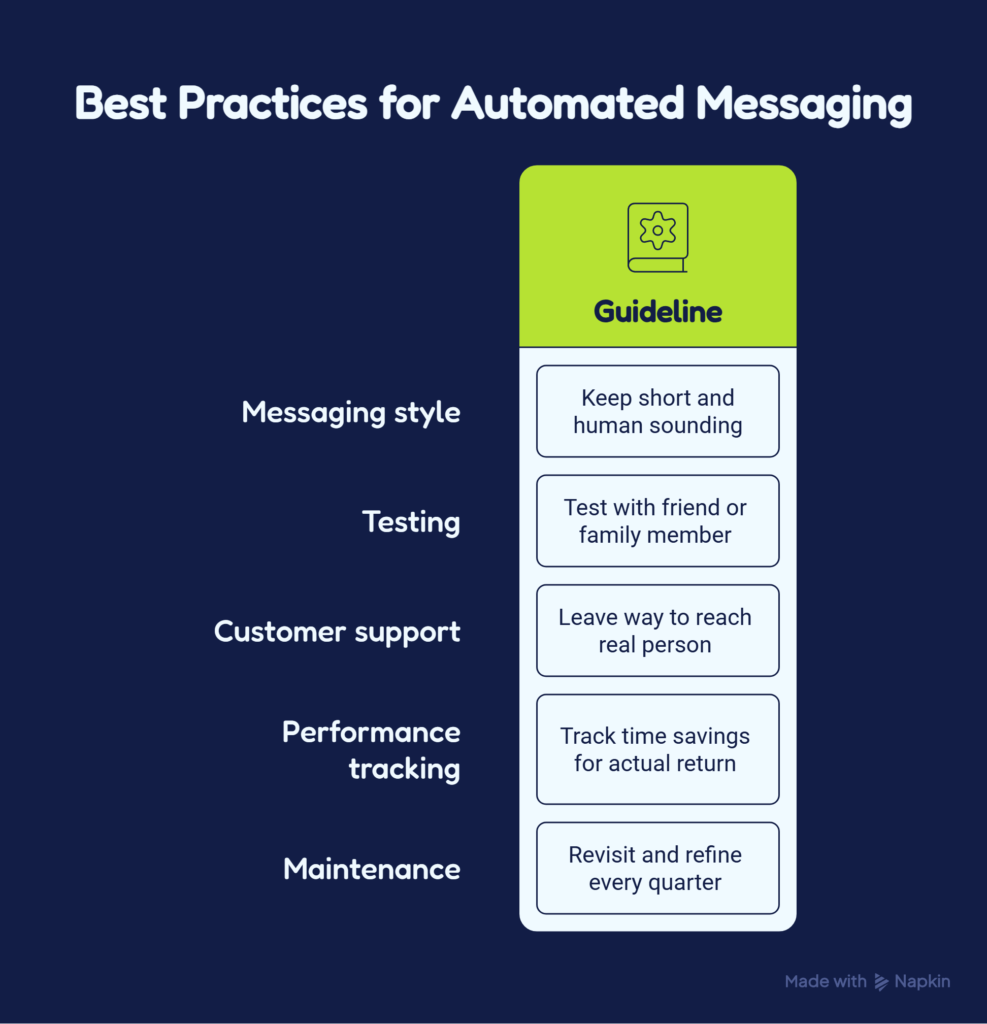
Keep your automated messages short and human sounding. Test everything with a friend or family member before it goes live with real customers. Always leave a way for customers to reach a real person if they need to. Track your time savings so you can see the actual return, not just a feeling that things are easier. Revisit and refine every quarter instead of assuming it’ll run perfectly forever.
Tools and Resources
| Task | Beginner Friendly Option | Best For |
|---|---|---|
| Customer messaging | WhatsApp Business automated replies | Local service businesses |
| Appointment booking | Booking tools with SMS reminders | Salons, clinics, studios |
| Social media posting | Scheduling tools like Buffer or Meta Business Suite | Marketing and content teams |
| Email follow ups | Basic email automation tools | Ecommerce and service businesses |
| Invoicing and reminders | Accounting software with auto reminders | Freelancers and small agencies |
Real Life Example
Situation A hair studio with two branches was relying entirely on manual phone calls and WhatsApp texts sent one by one for appointment confirmations and follow ups.
Challenge The front desk staff spent nearly 3 hours a day on confirmations, reminders, and answering the same handful of questions from new customers.
Action The studio set up automated WhatsApp reminders 24 hours and 2 hours before each appointment, along with a simple auto reply for common questions like pricing and timings.
Result No shows dropped noticeably within the first month, and the front desk staff got back close to 2 hours a day, which they used to actually engage with walk in customers instead of being buried in phone calls.
Expert Tips
Don’t just automate customer facing tasks. Internal reporting, like pulling weekly numbers for ad spend or sales, eats just as much time and is often overlooked. Combine automation with a simple dashboard so you can see results at a glance instead of digging through multiple apps. If you run a service business, automating the boring administrative side frees up energy for the part that actually needs a human touch, which is building relationships with your customers.
Frequently Asked Questions
Does automation replace employees?
No, in most small businesses automation replaces repetitive tasks, not people. It frees up staff to focus on things that actually need human judgment, like handling complaints or building customer relationships.
Is automation expensive to set up?
Not necessarily. Many tools have free plans or low monthly costs, and the time saved usually pays for the tool within the first month.
What's the easiest task to automate first?
Appointment reminders and common customer questions are usually the easiest and fastest wins for most small businesses.
How long does it take to see results from automation?
Most businesses notice a difference within two to four weeks, especially with time saved and fewer missed follow ups.
Can automation hurt customer experience?
It can, if messages feel robotic or there’s no way to reach a real person. Done thoughtfully, it usually improves the experience because responses are faster.
Do I need technical skills to set up automation?
Basic automations for messaging, reminders, and scheduling usually don’t require coding. Most tools have simple drag and drop setups.
What's the difference between automation and AI?
Automation follows fixed rules you set. AI can adapt and make decisions based on patterns. Many modern tools combine both.
How much money can automation actually save?
It varies, but businesses often report reclaiming 15 to 40 percent of the hours previously spent on manual, repetitive tasks.
Should small businesses automate marketing too? Y
Yes. Scheduling posts, automating follow up emails, and setting up basic ad reporting are some of the highest value places to start.
Key Takeaways
Automation replaces repetitive, manual tasks so people can focus on higher value work
It saves both time and money at the same time, which is rare for a single solution
Start small with one task, get it working well, then scale to more
Human sounding messages perform far better than robotic ones
Regular check ins keep automations useful instead of outdated
Small businesses, not just large companies, benefit enormously from simple automation
Conclusion
Automation isn’t about replacing the human side of your business. It’s about clearing away the repetitive noise so you actually have time and energy for the parts that matter, like talking to your customers, growing your brand, and thinking about where your business is headed next. Start small, stay consistent, and the time and money you save will compound faster than you expect.
CTA
If you’re ready to stop losing hours to tasks that a simple system could handle for you, start with just one automation this week. Pick your biggest time drain from this guide and set it up. Once you see the difference, you won’t want to go back to doing it the old way.