

The call you never asked for might be changing your listing right now
Picture this. A customer calls your salon asking if you do keratin treatments. Your receptionist answers, chats for two minutes, and hangs up. A week later you notice your Google Business Profile now lists “keratin treatment” as a service you never added yourself google business profile collected info
Nobody on your team touched the dashboard. So who did?
Turns out, it was Google. And now, for the first time, you can actually see what it collected and where that information came from.
Table of Contents
ToggleWhat this guide covers
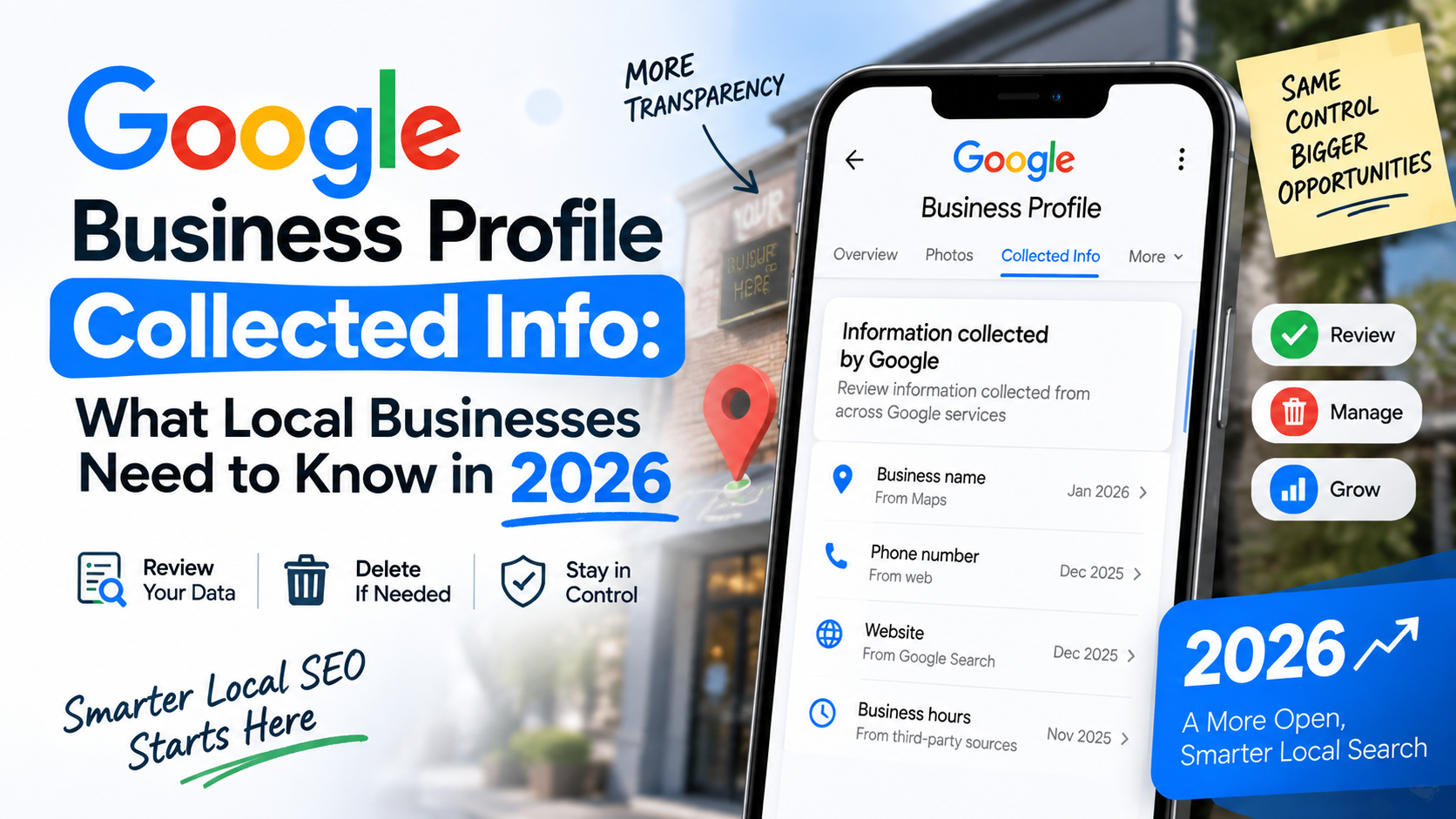
Google has rolled out a new tab inside Business Profile called Collected Info. It is a small addition on paper, but it changes something that has quietly bothered local business owners for years, the mystery of why their listing details sometimes shift without anyone on their team lifting a finger.
In this guide, we will walk through what Collected Info actually is, how it works, where it currently shows up, and what you as a business owner or marketer managing profiles should be doing about it starting now.
Quick answer google business profile collected info
Collected Info is a new section inside Google Business Profile where business owners can see data that Google’s automated systems gathered through calls, texts, or WhatsApp messages with their business, along with the date and source of each entry. You can review this data and reject anything inaccurate. It is currently limited to select regions and categories, mainly the United States, so most businesses in India will not see it yet, but it signals where Google is heading with profile management.
What exactly is Collected Info?
Google has been quietly calling and texting businesses for a while now to confirm details like opening hours, parking availability, or whether you accept walk ins. Most owners never realized this was happening in the background, or that anything said on those calls could end up shaping their public listing.
Collected Info is Google’s way of finally showing its work.
Once live on a profile, you can go to Edit Profile and then Collected Info to see a running log. Each entry shows what piece of information was gathered, when it was collected, and which interaction it came from, a specific call or a text exchange. If something looks wrong, there is a button to reject it.
Think of it like a bank statement for your business data. You always knew transactions were happening. Now you finally get an itemized list.
A real example. Say Google’s automated system texted your clinic asking about wheelchair access, and whoever picked up the phone that day gave a quick, half distracted answer. If that answer was wrong, you used to have no idea it was even collected, let alone where it came from. Now you can trace it back to that exact text thread and remove it.
Why this actually matters for your business
It is easy to shrug this off as another minor Google update. It is not, and here is why.
Local search runs almost entirely on trust in your data. Google decides how often to show your profile in the local pack partly based on how accurate and complete your information appears to be. When automated systems are quietly editing that information without your knowledge, you lose control over one of your most valuable marketing assets without even realizing it.
Collected Info hands that control back, even if only partially. You get visibility into a process that used to be a complete black box. For business owners who have ever wondered why their hours suddenly changed or a new attribute appeared out of nowhere, this finally gives you an answer.
There is also a bigger pattern here worth noticing. Google is leaning harder into automated verification, AI generated answers, and voice based interactions across its products. This feature is a small preview of a future where a large chunk of your business data gets updated through conversations rather than manual dashboard edits. Getting comfortable with that shift now puts you ahead of competitors who are not paying attention.
Complete guide to using Collected Info
Step one, check if you actually have access
What it means This feature has not rolled out everywhere. Google’s own help documentation says it is currently available for select regions, languages, and business categories, and may not appear for all users.
Why it matters There is no point building a whole workflow around a feature you cannot see yet. Knowing your access status saves you time and stops your team from hunting for a button that is not there.
How to do it Log into your Business Profile, click Edit Profile, and look for a Collected Info option in the menu. If it is not visible, it has not rolled out to your account yet.
Example Reports so far show the feature live mostly in parts of the United States, and even there it excludes a handful of states. For businesses in India, including our clients in Hyderabad and Vizag, this has not appeared widely yet. That does not mean you should ignore it though, since Google typically expands these rollouts region by region over time.
Pro tip Bookmark the Edit Profile page and check back monthly. Google rarely announces exact rollout dates for features like this, so periodic checking beats waiting for an official email that may never come.
Step two, understand where the data actually comes from
What it means Collected Info pulls from automated outreach, calls, texts, or WhatsApp messages that Google sends to the verified phone number on your profile to confirm business details.
Why it matters If you do not know these automated messages are happening, your staff might answer them casually without realizing the answers could shape your public listing. Awareness changes how seriously your team treats these interactions.
How to do it Brief your front desk or whoever answers your business phone. Let them know that if a call or text comes from Google asking to confirm details like hours or services, the response matters and should be accurate, not just whatever is quickest to say.
Example A hair studio client of ours almost lost an entire afternoon of bookings because a stylist casually told an automated caller their salon closes at 6pm on Saturdays when it actually stays open till 9pm during wedding season. That single answer could have quietly overwritten their listed hours.
Pro tip Treat every unexpected call claiming to be from Google the same way you would treat editing your dashboard directly. Slow down, confirm the detail before answering.
Step three, review entries regularly and reject anything inaccurate
What it means Once you have access, this becomes a maintenance task, not a one time check. New calls and messages can generate new entries over time.
Why it matters Outdated or wrong information sitting in your profile, even briefly, can send customers to a closed door or a wrong number. That damages trust fast, and a single bad experience often becomes a bad review.
How to do it Set a recurring reminder, weekly or biweekly depending on how often your business gets calls, to open Collected Info and scan through recent entries. Reject anything inaccurate immediately.
Example For a multi location client, we built a simple checklist into their monthly profile audit that now includes a Collected Info review alongside the usual review response and photo update tasks.
Pro tip Do not assume rejecting an entry undoes changes already published on your live profile. Google’s own documentation is clear that deleting collected information removes it from their internal records but does not automatically revert details that have already gone live. You may still need to manually correct the visible listing.
Step four, decide whether to opt out entirely
What it means If you would rather Google not contact your business this way at all, there is an opt out setting.
Why it matters Some businesses, especially ones with a single overworked receptionist or a lean team, may prefer to avoid the risk entirely rather than manage another ongoing task.
How to do it Go to Business Profile settings, then Advanced settings, and look for the option related to Google automated calls and text messages. Turning it off stops the outreach going forward.
Example A busy clinic with a small front desk team chose to opt out after twice getting automated texts during their lunch rush that went unanswered and unnoticed for days.
Pro tip Opting out is not necessarily the safer choice for everyone. If you keep your profile updated manually and often, opting out just removes a redundant channel. If your team struggles to keep the dashboard current, this automated verification might actually be helping you more than you realize.
Common mistakes businesses make with this feature
Mistake: Ignoring the Collected Info tab entirely once it appears. Impact: Inaccurate data sits live on your profile for weeks or months, quietly hurting your local rankings and misleading customers. Solution: Add a recurring check to your profile maintenance routine, the same way you already check reviews and photos.
Mistake: Assuming rejecting an entry automatically fixes your live listing. Impact: You think a wrong detail has been corrected when it is actually still showing to customers searching for you. Solution: After rejecting an entry, manually check the actual live field on your profile and edit it directly if needed.
Mistake: Letting untrained staff answer Google’s automated verification calls carelessly. Impact: A rushed or wrong answer can end up shaping public facing business information. Solution: Brief your team specifically on how to handle these calls with the same care as a customer inquiry.
Mistake: Opting out reflexively out of distrust without weighing the tradeoff. Impact: You lose a channel that, for many small businesses, actually helps keep profiles fresher than manual updates alone. Solution: Evaluate your own update habits honestly before deciding to switch this off.
Best practices going forward
Build Collected Info review into whatever monthly or weekly profile maintenance schedule you already run. It should sit right alongside checking new reviews, refreshing photos, and confirming service listings.
Train anyone who might answer your business phone that Google’s automated calls are not spam and deserve an accurate, considered response.
Keep a simple internal log of major profile changes, whether they came from your team or from Google’s automated systems, so you always know what changed and when.
Do not treat this as a set it and forget it feature. Google tends to expand and tweak these tools quietly, so revisit your process every few months.
Tools and resources comparison
| Task | Manual Dashboard Editing | Collected Info Review | Third Party GBP Management Tools |
|---|---|---|---|
| Who initiates the update | You or your team | Google’s automated outreach | Varies by tool |
| Requires you to notice a problem first | Yes | Somewhat, entries are logged for you | Depends on alerts |
| Can undo already published changes | Yes, directly | No, only removes the record, not the live listing | Sometimes |
| Best suited for | Businesses that update often | Businesses that get customer calls regularly | Multi location brands managing many profiles at once |
| Availability in India as of now | Fully available | Limited rollout, mostly US | Fully available |
Real life example
One of our clients, a hair studio chain with multiple branches, had been puzzled for months about small inconsistencies across their listings. One branch showed curbside pickup available, which made no sense for a salon. Another had slightly wrong hours on weekends.
At the time, Collected Info was not yet live for their account, so we could not trace the exact source. But once we heard about this feature rolling out, it clicked immediately. These were almost certainly the result of automated verification calls being answered inconsistently by different staff members across locations, exactly the kind of scenario this new tool is meant to surface and fix.
We are now preparing all our multi location clients with a standard front desk script for handling these calls, so that whenever Collected Info does become available to them, there is nothing left to clean up. Getting ahead of a feature before it fully lands is usually cheaper than fixing the mess after.
Expert tips
If you manage multiple locations, standardize how every branch answers questions about hours, accessibility, and services before Google ever calls. Consistency across branches matters as much as accuracy at a single branch.
Do not rely on memory. Whoever is likely to answer these calls should have quick access to your actual current business details, hours, services, accepted payments, printed or pinned somewhere visible near the phone.
Pair this with a quarterly full profile audit rather than only reacting when something looks off. Catching drift early is far easier than untangling months of small inaccurate edits.
If you are an agency or freelancer managing client profiles, add a line item for Collected Info monitoring to your retainer scope once it becomes widely available. Clients will not think to ask for it, but they will notice if their listing quietly goes wrong and nobody caught it.
Frequently Asked Questions
What is Collected Info in Google Business Profile?
It is a section inside Business Profile that shows information Google’s automated systems gathered about your business through phone calls, texts, or WhatsApp messages, along with the date and source of each entry.
Is Collected Info available in India yet?
Not widely. The feature is currently limited to select regions, languages, and business categories, with most confirmed access reported in the United States. It has not rolled out broadly to Indian businesses so far, though that could change over time.
How do I access Collected Info on my profile?
Go to your Business Profile, select Edit Profile, then look for Collected Info in the menu. If your account has access, you will see it there.
Does rejecting an entry in Collected Info fix my live listing automatically?
No. Rejecting removes the entry from Google’s internal records but does not automatically revert anything that has already been published on your live profile. You may need to edit the visible field yourself.
Why does Google call or text businesses about their profile?
Google uses automated outreach to confirm details like hours, accessibility, and services so it can keep listings accurate and discoverable for customers searching nearby.
Can I stop Google from calling or texting my business?
Yes. In your Business Profile settings, under Advanced settings, there is an option related to automated calls and text messages that you can turn off.
Will this affect my local search ranking?
Google has not confirmed Collected Info as a direct ranking factor. That said, accurate and consistently updated profiles generally perform better in local search, so the indirect impact is worth taking seriously.
Is this the same as regular Google Business Profile edits I make myself?
No. Regular edits are changes you make directly in the dashboard. Collected Info specifically tracks data gathered through automated conversations initiated by Google, not manual edits.
What happens if my staff gives a wrong answer during one of these automated calls?
That incorrect detail could get logged as collected information and potentially update your public profile. This is exactly why briefing your team on how to handle these calls matters.
Should agencies managing multiple client profiles worry about this feature?
Yes, especially agencies handling multi location brands. Inconsistent answers across branches during automated calls can create scattered inaccuracies that are hard to trace without checking Collected Info directly.
Key Takeaways
- Collected Info shows data Google gathered about your business through automated calls, texts, or WhatsApp messages, along with the date and source.
- It is currently in limited rollout, mainly the United States, and not yet widely available in India.
- Rejecting an entry removes it from Google’s records but does not automatically fix your already published listing.
- Train your front desk or phone staff to treat Google’s automated verification calls seriously and accurately.
- You can opt out entirely through Advanced settings if you would rather avoid automated outreach.
- Multi location businesses face higher risk of inconsistent data slipping through these calls and should standardize how staff respond across branches.
- This feature is a small signal of a bigger shift, more of your business data will get updated through automated conversations over time.
Conclusion
Collected Info might look like a minor addition buried inside a settings menu, but it addresses something that has genuinely frustrated business owners for years, the feeling of not knowing why your own listing changed. Even if it has not reached your account yet, the smartest move is preparing now. Brief your team, standardize your answers, and keep your profile details consistent everywhere they might get asked.
The businesses that stay ahead of features like this rarely do it by reacting fast. They do it by already having their basics in order before the feature even matters.
Take the next step
If you are managing your Google Business Profile on your own and finding it hard to keep up with updates like this one, that is exactly the kind of thing we handle for our clients every day at NexasAI. From keeping your listing accurate to running full local SEO for your business in Hyderabad or Vizag, we make sure nothing slips through while you focus on running your business. Reach out and let us take profile management off your plate.
[…] to Know in 2026 How to Use AI for Freelancing: A Practical Guide to Growing Your Income in 2026 Google Business Profile Collected Info: What Local Businesses Need To Know In 2026 How Social Media Marketing Drives Real Business Growth in 2026 ₹1,000 a Day. One Local […]